This post explains how to set up assessment scoring rules (also works for quizzes) that allow you to short-circuit the normal scoring process and assign respondents directly to a rating band.
Most assessments calculate a score and then assign a rating band based on that score. In many cases, that’s exactly what you want.
However, there are situations where a specific answer should immediately place someone into a particular rating band, regardless of their overall score.
For example:
This feature makes it easy to create those kinds of exceptions.
First, navigate to the Rating Bands tab within your assessment.
Click the Add Short Circuit Rule button.
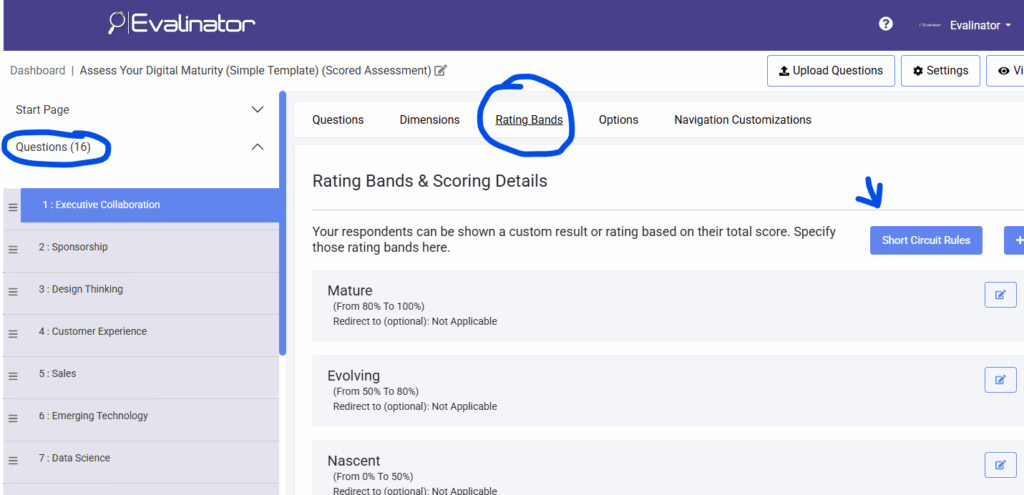
This opens the screen where you can create and manage your assessment scoring rules.
Click Add Rule.
For each rule, select:
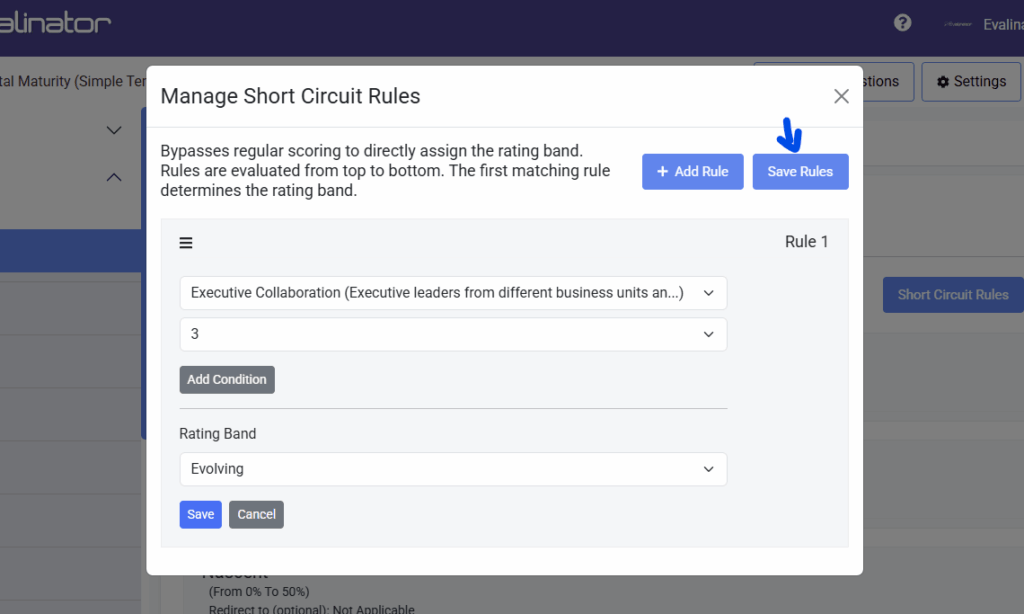
For example, you might create a rule that says:
IF Question: “Do you currently have an active compliance violation?”
AND Response: “Yes”
THEN Rating Band: “High Risk”
When this condition is met, the respondent will be assigned directly to the specified rating band.
These assessment scoring rules are evaluated before the final result is presented.
Some scenarios require more than one condition.
You can click Add Condition to create additional requirements within the same rule.
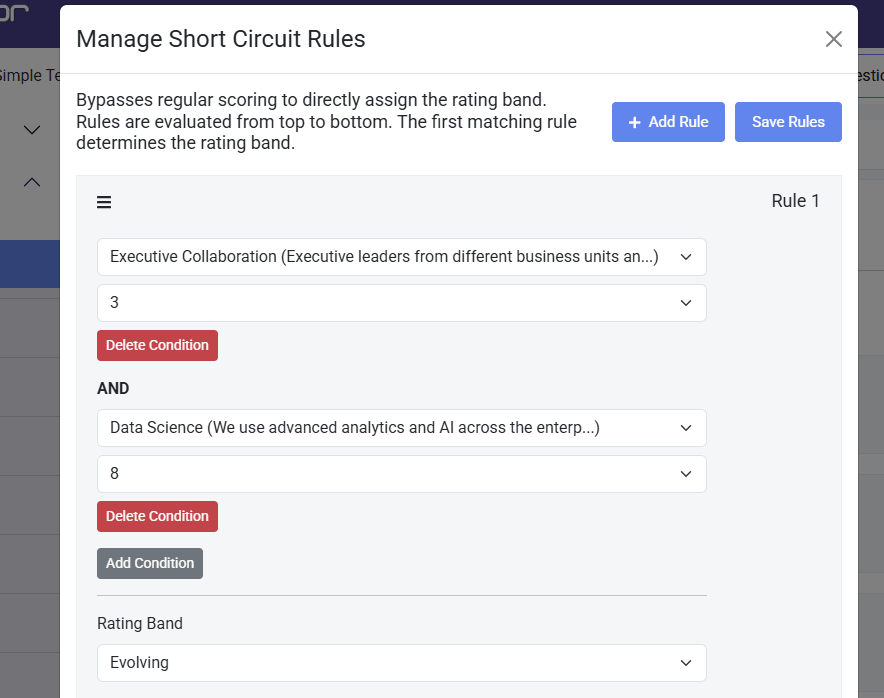
For example:
Only when all conditions are satisfied will the rule be triggered.
This allows you to create more precise assessment scoring rules without having to redesign your assessment.
In some cases, you may want to send respondents directly to a dedicated page rather than displaying the standard results screen.
To do this:
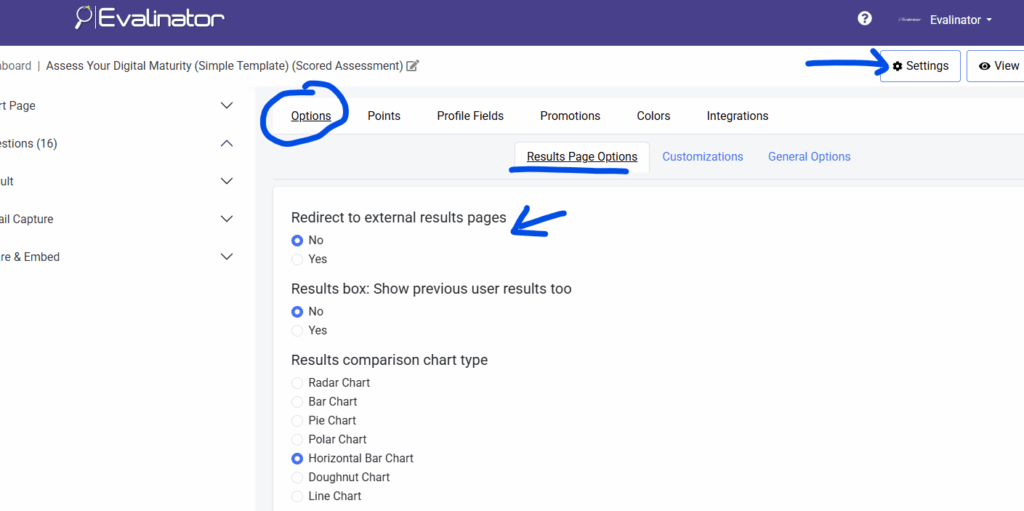
When a respondent is assigned to that rating band, Evalinator will skip the standard results page and redirect them directly to the specified landing page.
This can be useful when:
Most assessments work well with traditional scoring, but there are situations where certain answers should carry more weight than others.
That’s where short-circuiting becomes valuable.
By creating targeted assessment scoring rules, you can ensure that critical responses immediately place respondents into the most appropriate rating band. This produces more accurate outcomes and gives you greater control over the assessment experience.
If you’d like to try this feature yourself, you can create an account and explore Evalinator with a 14-day free trial. Evalinator is an advanced assessment software for coaches and consultants who want to showcase their expertise, attract qualified leads, and grow their client base through personalized assessments.
Whether you’re building lead-generation assessments, diagnostic tools, or client qualification questionnaires, Evalinator helps you deliver personalized client engagement.
Feeling frustrated with lead generation?
Take this free, 5-minute quiz and get more prospects into your leads funnel.
Instant Results. Actionable recommendations. Email required.
Find Your Score >>