 In this post we will outline the steps needed to improve your HubSpot ROI by integrating it with Evalinator.
You already know that HubSpot is the leading enterprise-grade, all-in-one marketing automation & CRM tool.
However, you need to build on the foundation that HubSpot provides you to generate leads, close deals, and grow accounts.
For example:
That’s where Evalinator comes in as a perfect complementary add-on to HubSpot.
Evalinator allows you to create your own advanced interactive assessments & expert quizzes (see list of templates here). When high quality leads are generated, you personalize your sales follow-ups and improve conversions.
This is applicable for prospects as well as for existing clients.
As a result, you can significantly improve the ROI of your HubSpot investment.
This approach is very different from a typical marketing “quiz” which is only intended as a list building mechanism but you have to do all the heavy lifting yourself.
Evalinator will help you build exceptional context into your nurturing flows set up in HubSpot.
As a result Evalinator helps you bridge the chasm between sales and marketing.
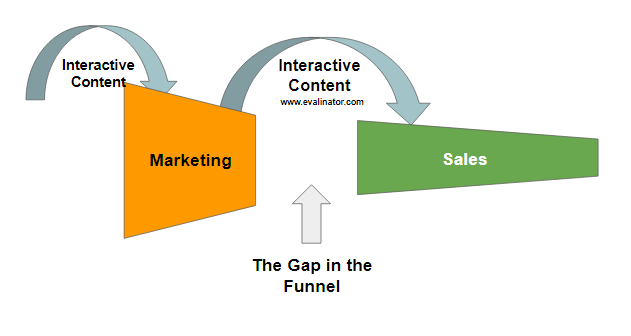
Once you have your assessment on Evalinator (you can get started here), your are ready to improve the ROI of your HubSpot instance.
The integration is very simple.
All you will need to do is to authorize Evalinator to send the contacts you receive on Evalinator straight to HubSpot so you can begin your email marketing sequence.
We lay it all out here for you step by step.
Log on to Evalinator, edit your assessment, and click on the “Integrations” tab within settings.
Scroll down the list to HubSpot and click “Set as Provider”
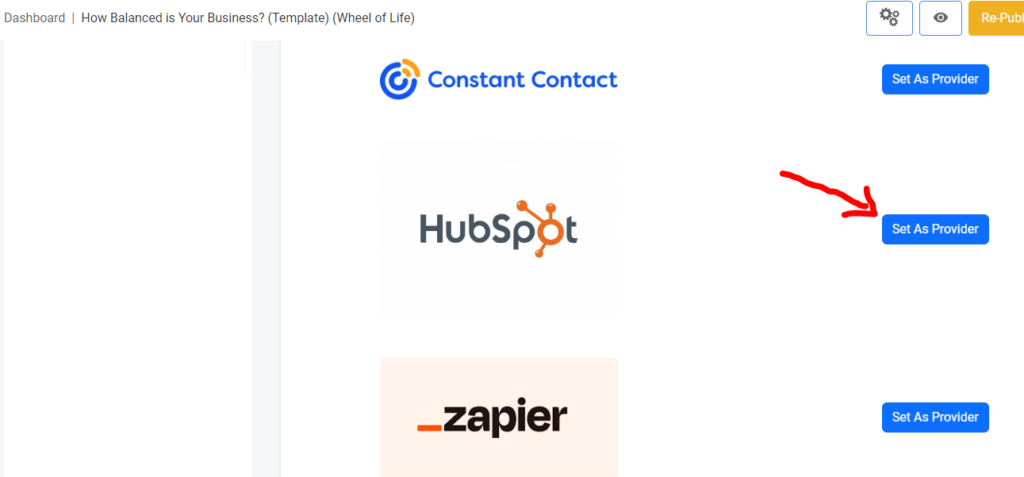
Once you click “Connect HubSpot”, you will be redirected to your HubSpot login screen.
Important: If you see the button “Reset Connection”, then proceed beyond this only if something has changed and you want to reset your connection. Otherwise, you’re done!
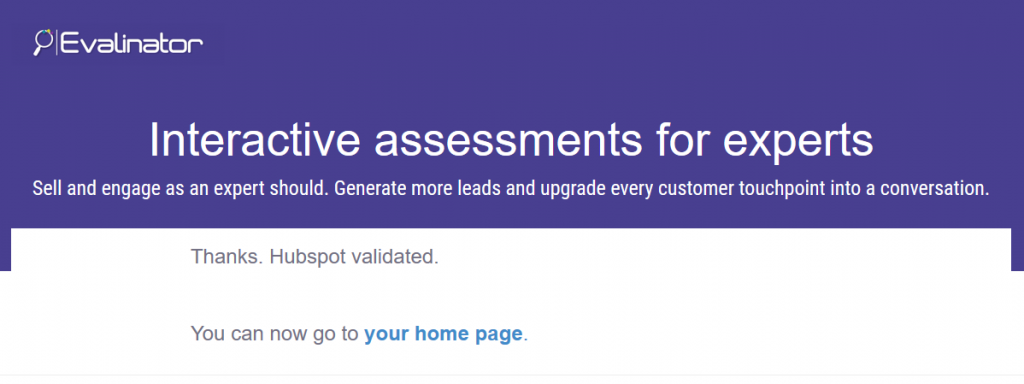
Use the login mechanism you use generally. You will see your HubSpot accounts listed. Please click your accounts, and then click “Authorize”. If everything goes well, you will see the Confirmation screen from Evalinator that your quiz has been connected to HubSpot.
Now go to the summary mappings, and map these fields to HubSpot custom fields:
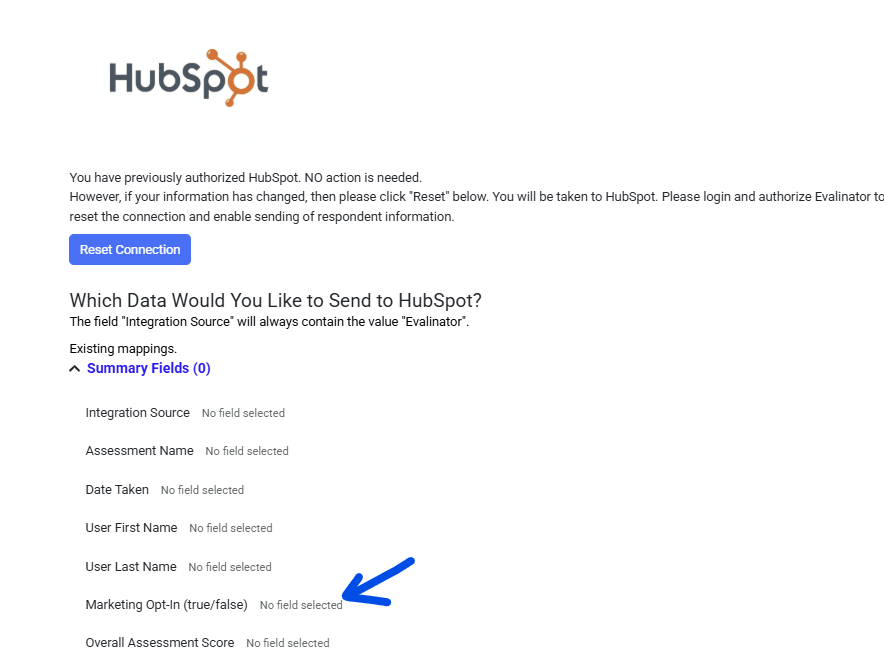
Every time a new respondent takes your assessment, we will send that contact over to HubSpot for you to nurture then as you see appropriate. If a contact already exists in HubSpot, it will not be recreated so you don’t have to worry!
If you currently have a process in HubSpot to manage GDPR regulations, then you can easily include Evalinator in it.
Compliance is easy.
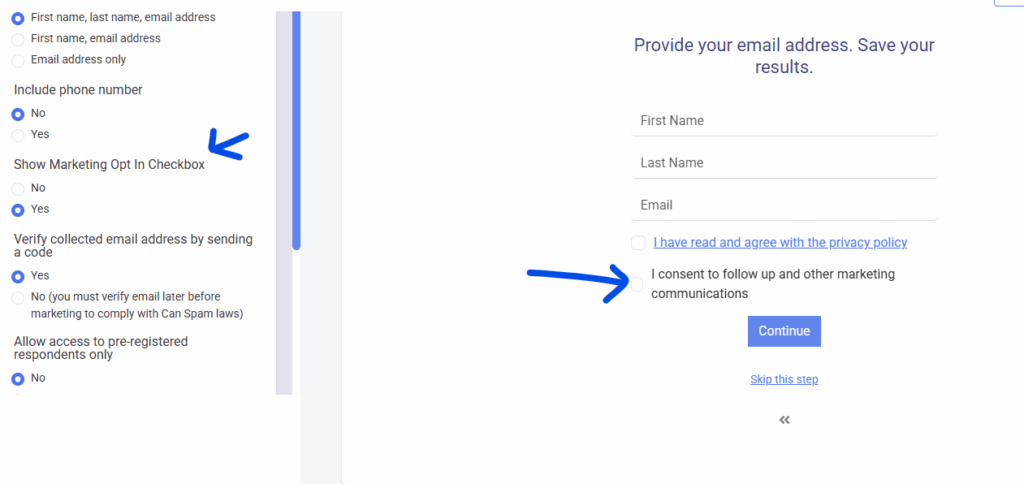
We’ll keep the aggregated data and summary statistics the same, but enable you to comply with the regulations.
If you use HubSpot’s native Double Opt-In process or trigger marketing automations from HubSpot Forms, Evalinator can submit respondents directly to the HubSpot Forms API instead of the standard Contacts API.
This allows HubSpot to manage the entire subscription process, including Double Opt-In emails, subscription preferences, and any workflows you have configured for that form.
If you connected HubSpot before this feature was introduced, click Reset Connection from the HubSpot integration screen in Evalinator and authorize the connection again.
This updates your HubSpot permissions so Evalinator can submit responses using the HubSpot Forms API.
After reconnecting, you’ll see an optional HubSpot Form ID field.
Your HubSpot Portal ID is detected automatically, so the only value you need to provide is the Form ID.
To find it:
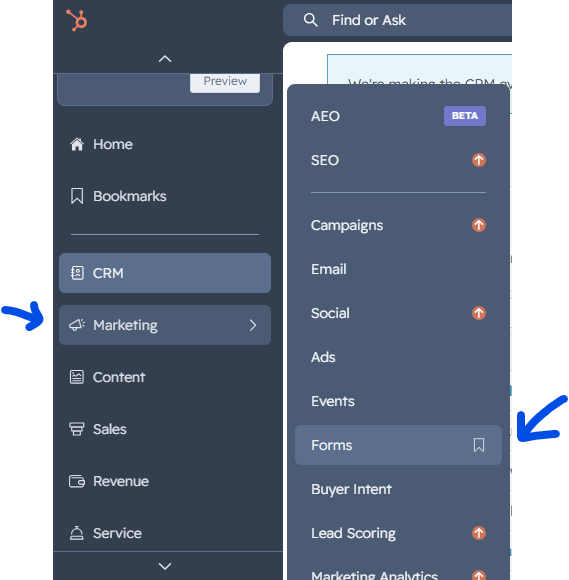
Go the list of forms
Open the HubSpot form you want Evalinator to submit to.
Locate the Form ID (a GUID similar to 12345678-abcd-1234-abcd-1234567890ab).
Copy the Form ID.
Paste it into the HubSpot Form ID field in Evalinator and click Save.
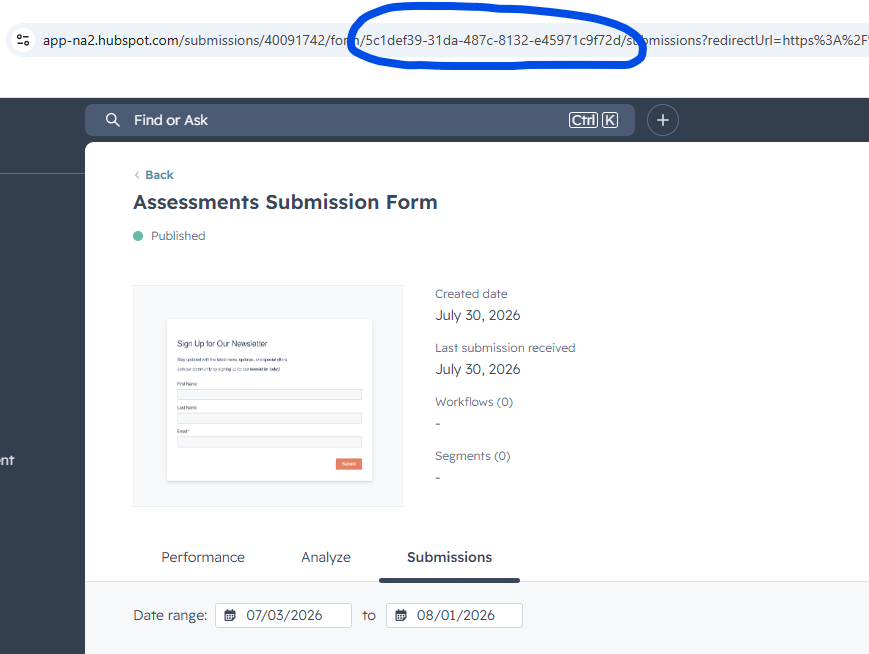
When a HubSpot Form ID is configured, Evalinator submits new respondents using the HubSpot Forms API.
This means HubSpot treats the submission exactly like a visitor completing that form on your website. As a result, HubSpot will automatically:
Trigger your Double Opt-In email (if enabled).
Start any workflows associated with that form.
Apply your existing subscription preferences and marketing processes.
Create or update the contact in HubSpot.
If no Form ID is configured, Evalinator continues using the standard HubSpot Contacts API, ensuring full backward compatibility with existing integrations.
Good luck with your lead generation and customer engagement. For any questions, please get in touch with us.
Please read our guide on improving the effectiveness of sales follow ups.
HubSpot captures and nurtures the leads you capture from tools such as Evalinator. Give it a little help.
Get started for free and craft your first assessment.
We are here to help you be successful.
Get Started With Your Free Trial >>
Feeling frustrated with lead generation?
Take this free, 5-minute quiz and get more prospects into your leads funnel.
Instant Results. Actionable recommendations. Email required.
Find Your Score >>