When your prospects and clients finish an assessment, a personalized Results email can:
Help respondents understand their results
Build trust immediately
But many coaches and consultants don’t have an email automation system set up — or don’t want to deal with tools like Zapier, Mailchimp, or complex workflows.
That’s exactly why Evalinator includes an automatic Results Email.
It lets you send a custom, brand-friendly Results email automatically when someone completes an assessment — no integrations required.
The Results email feature is perfect if you:
Don’t have an email automation system yet
Want something that works out of the box
Want full control over wording and branding
Just need a professional email sent immediately
If you already use a full email marketing platform with multi-step sequences, you will not need this feature — instead look at this post about integrating your email automation systems.
You can write your own results email and personalize it using simple variables, such as:
Respondent’s first name
Assessment name
Link to results
Highest scoring dimension
Applicable rating band
These variables are automatically replaced before the email is sent, so every respondent receives a message that feels personal and relevant.
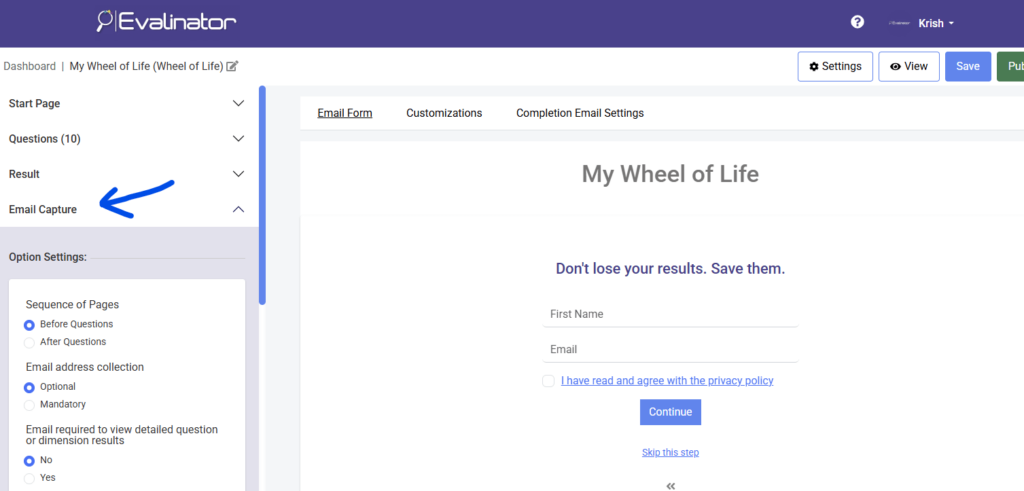
Navigate to your assessment, click to edit it, and open Email Capture on the left.
Turn on the automatic results email option.
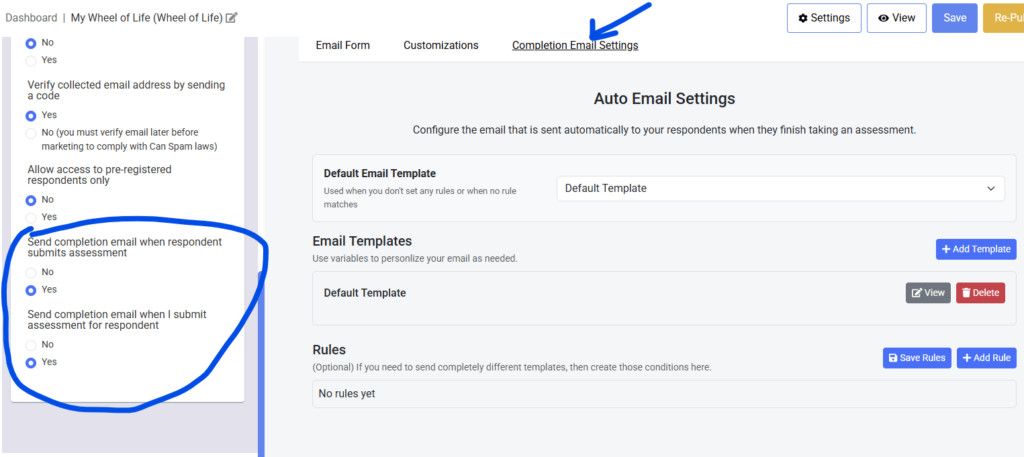
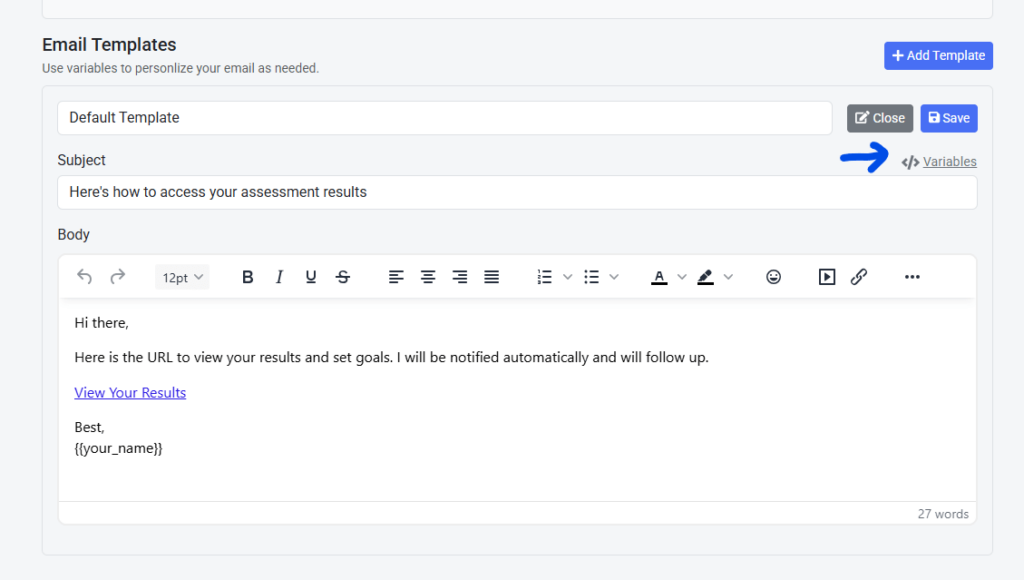
Click on the Default Template and edit as needed:
Email subject
Email body – this is a rich text editor so you can add formatting and colors as needed
Add the personalization variables by simply copying and putting them where you need them. If you use dimensions or rating bands, make sure they are set up.
The default is the email every respondent will receive unless you personalize it using variables.
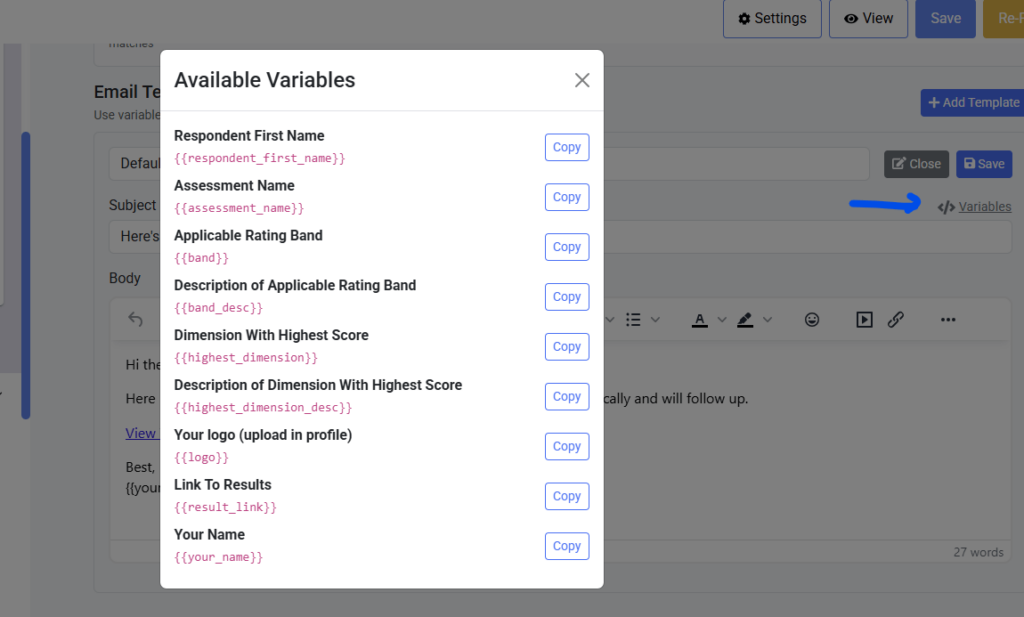
Rules and additional templates are advanced settings. For most most of you, template variables should be enough.
So do this only if you are really NOT looking to use an email automation provider in the short term.
If you want, you can send different Result Emails based on:
Personality band
Highest scoring dimension
For example:
One email for leadership-focused results – with an offer or landing page link that caters only to
Another for analytical or creative profiles
If no rule matches, you can always set the default template to be used.
If you created multiple templates, then you can select which template should be used as the default results email.
This ensures that even if no special rules apply, every respondent still receives a polished and personalized email.
Evalinator checks if any rule applies
If a rule matches, the linked template is used
If not, the default template is sent
Variables are replaced with real values
The email is sent instantly
No delays. No external tools. No extra setup.
Automatic Results Email is not meant to replace full email marketing systems.
Instead, it gives you:
A professional default experience
Immediate communication with respondents
Full control over messaging
Zero technical overhead
For many coaches and consultants, a personalized Results Email is exactly what’s needed. And if you later decide to build advanced email sequences using other tools, you should review our integrations.
Other Readings:
If you haven’t signed up yet for Evalinator, then sign up now – there’s no risk with a 2 week risk-free trial!
Feeling frustrated with lead generation?
Take this free, 5-minute quiz and get more prospects into your leads funnel.
Instant Results. Actionable recommendations. Email required.
Find Your Score >>