Uploading assessment questions from a spreadsheet is important because generally that’s how you start creating your assessments.
You draft questions, refine answer options, assign points or personality bands, and only then think about getting everything into the system.
Typing each question one by one is time-consuming. That’s why Evalinator has a feature to upload them all at once!
Whether its for a lead generation quiz or an onboarding assessment, this way you can move faster without sacrificing accuracy.
Bulk upload is designed for speed and confidence.
You can:
Import dozens of questions at once
Keep wording and options consistent
If your questions already live in a spreadsheet, bulk upload is an efficient way to get started.
Below is a simple guide to uploading your questions in bulk.
Before uploading questions, make sure your bands (scoring or personality) and dimensions/ question categories are already defined.
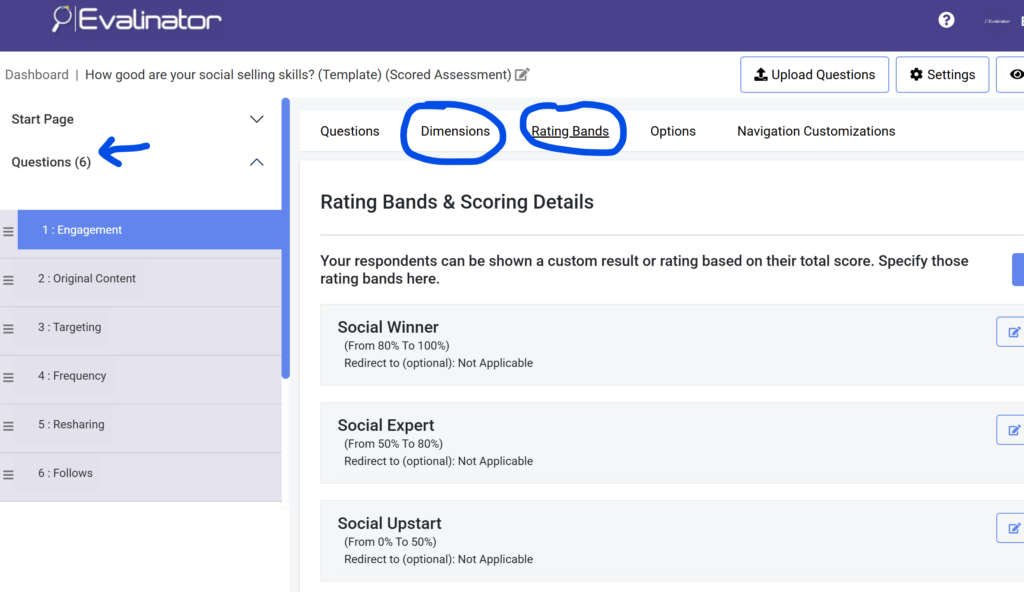
These are essential because:
Answer options for scored assessments need to map to points
Dimensions or question categories determine how results are grouped and interpreted
Once these are set, the system knows exactly how to interpret your uploaded data.
Go to your Questions section and click Upload.
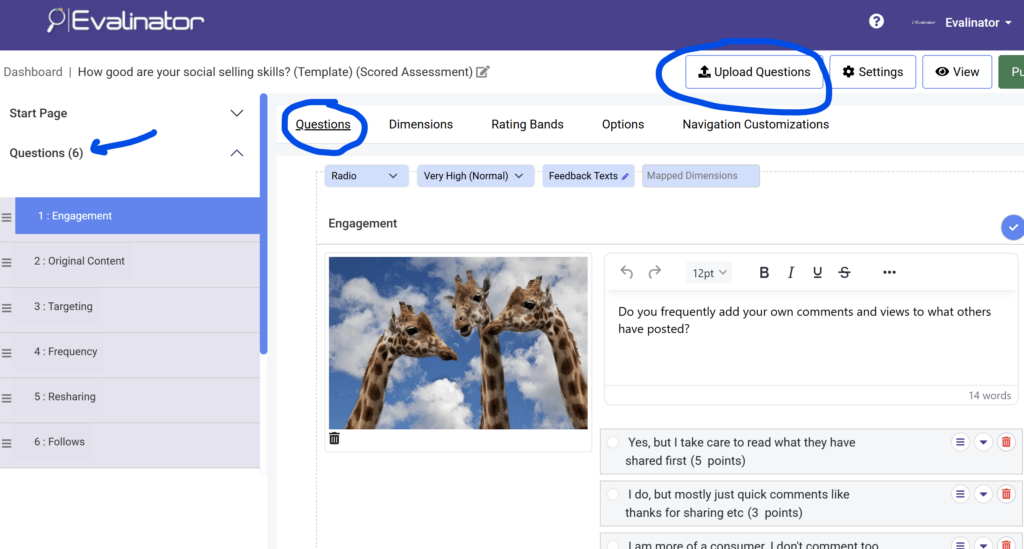
From there, download the personalized template for your assessment.
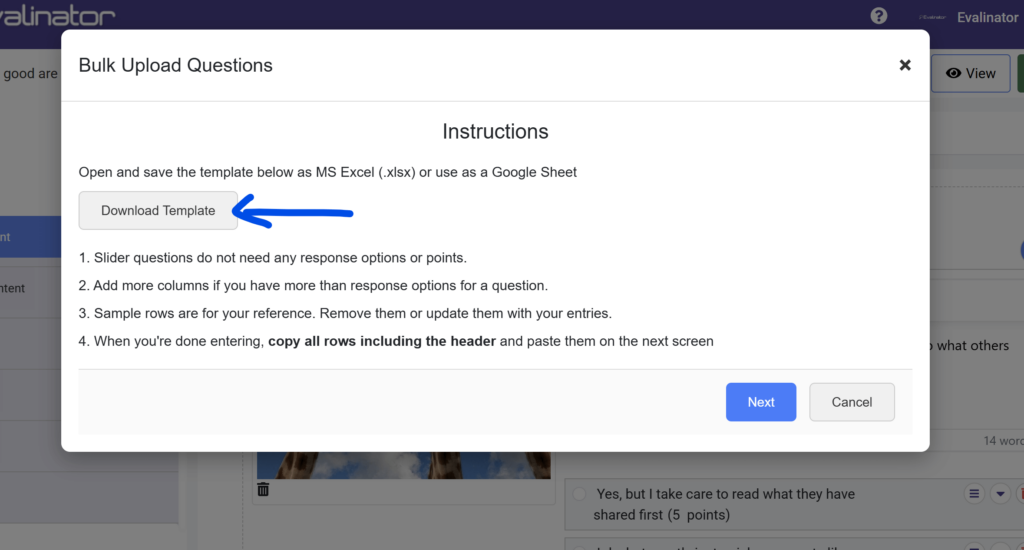
This template is customized specifically for the assessment you are working in:
Correct question structure
Predefined band names
Proper dimension references
Using this template ensures your data imports cleanly with minimal corrections.
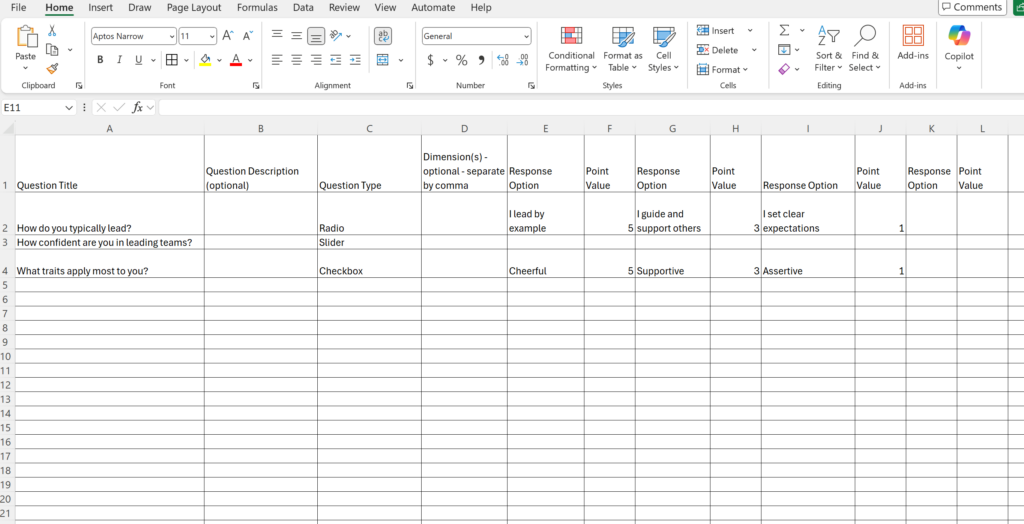
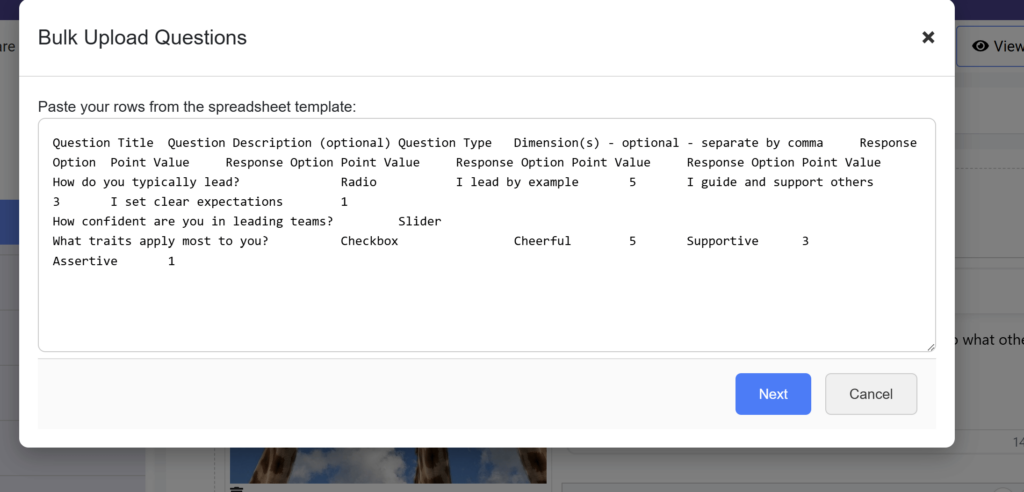
Paste your questions directly from your spreadsheet — including the header row.
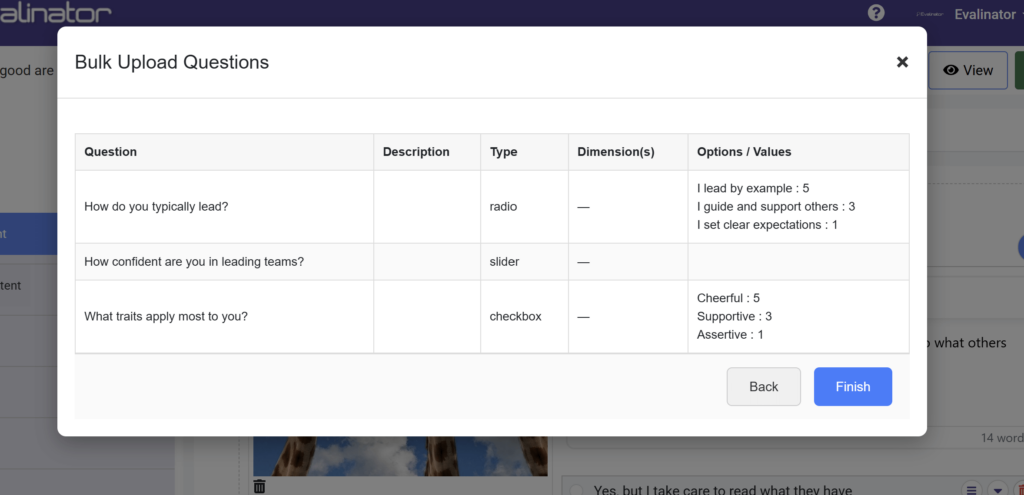
After pasting, you’ll see a confirmation screen where you can:
Review all imported questions
Check options, points, and bands
Fix issues before anything is saved
If something doesn’t match (for example, an invalid band name), the system will show warnings at the top so you can correct them before finishing the upload.
Once everything looks right, confirm and complete the upload.
Your questions are now imported and ready to use.
Bulk upload of assessment questions from a spreadsheet removes friction from assessment creation, so you can focus on refining insights instead of managing data entry.
Start growing your business faster. If you are looking for an assessments platform focused on experts such as coaches and consultants, then sign up for a risk–free 2-week trial. Personalized assistance is always included to make sure your assessment is set up exactly the way you want.

Feeling frustrated with lead generation?
Take this free, 5-minute quiz and get more prospects into your leads funnel.
Instant Results. Actionable recommendations. Email required.
Find Your Score >>